 First
Date
First
DateA cue, at a glance.
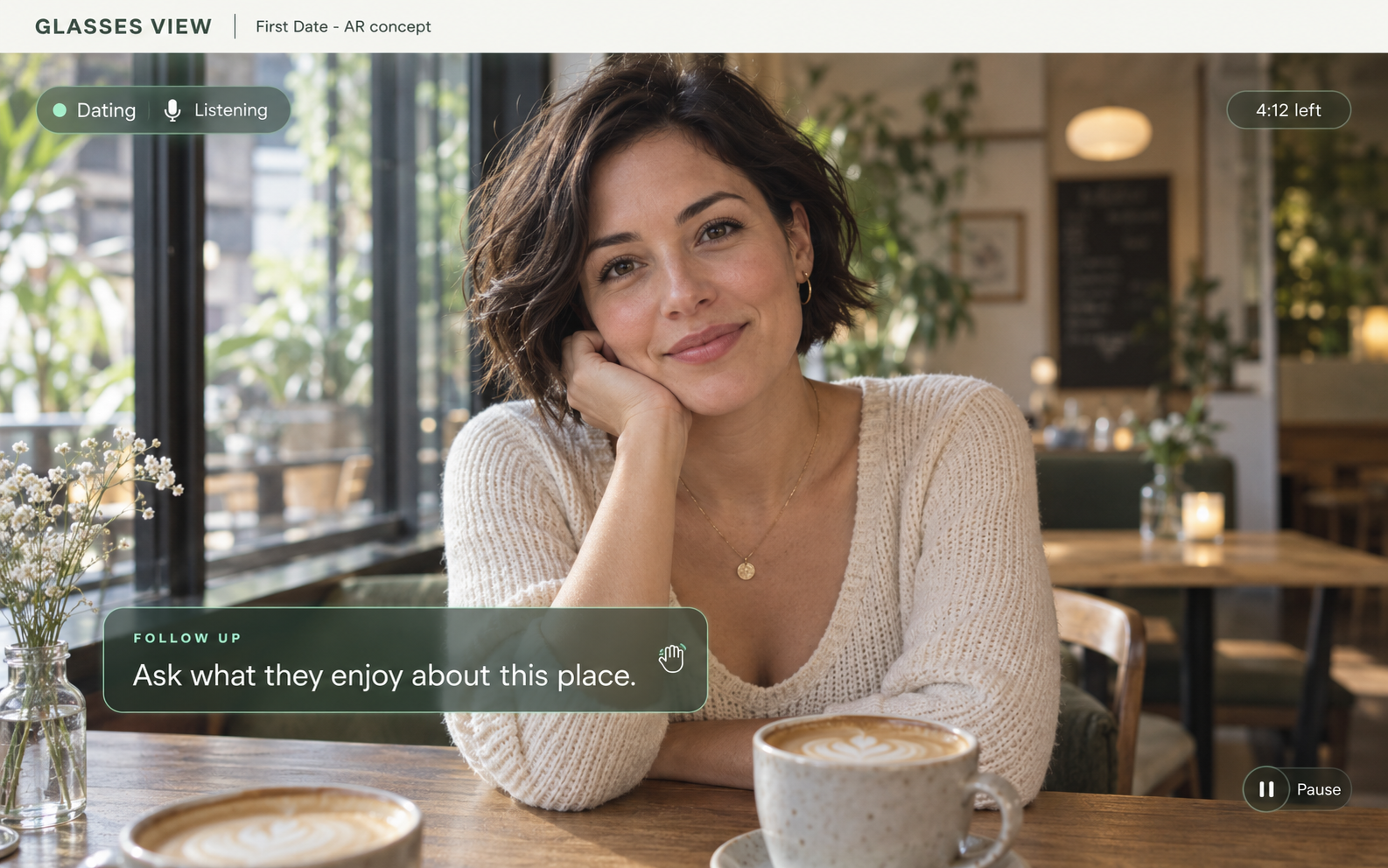
One short suggestion, designed to sit in the periphery and leave the conversation in focus.
AR conversation assistance · in development
Your next move,
right in your eyeline.
Stay in the moment. First Date is being built to bring a thoughtful next-action cue into your AR view—ask, listen, share or give the moment space.
Less pressure to perform.
More space to connect.
THE FIRST DATE XR EXPERIENCE
The vision is simple: a brief conversational move in your eyeline, without turning a first date into a script. A relevant follow-up. A reminder to listen. Or a little space to let the moment unfold.
One short suggestion, designed to sit in the periphery and leave the conversation in focus.
Choose a next action and express it naturally. Silence is an option too.
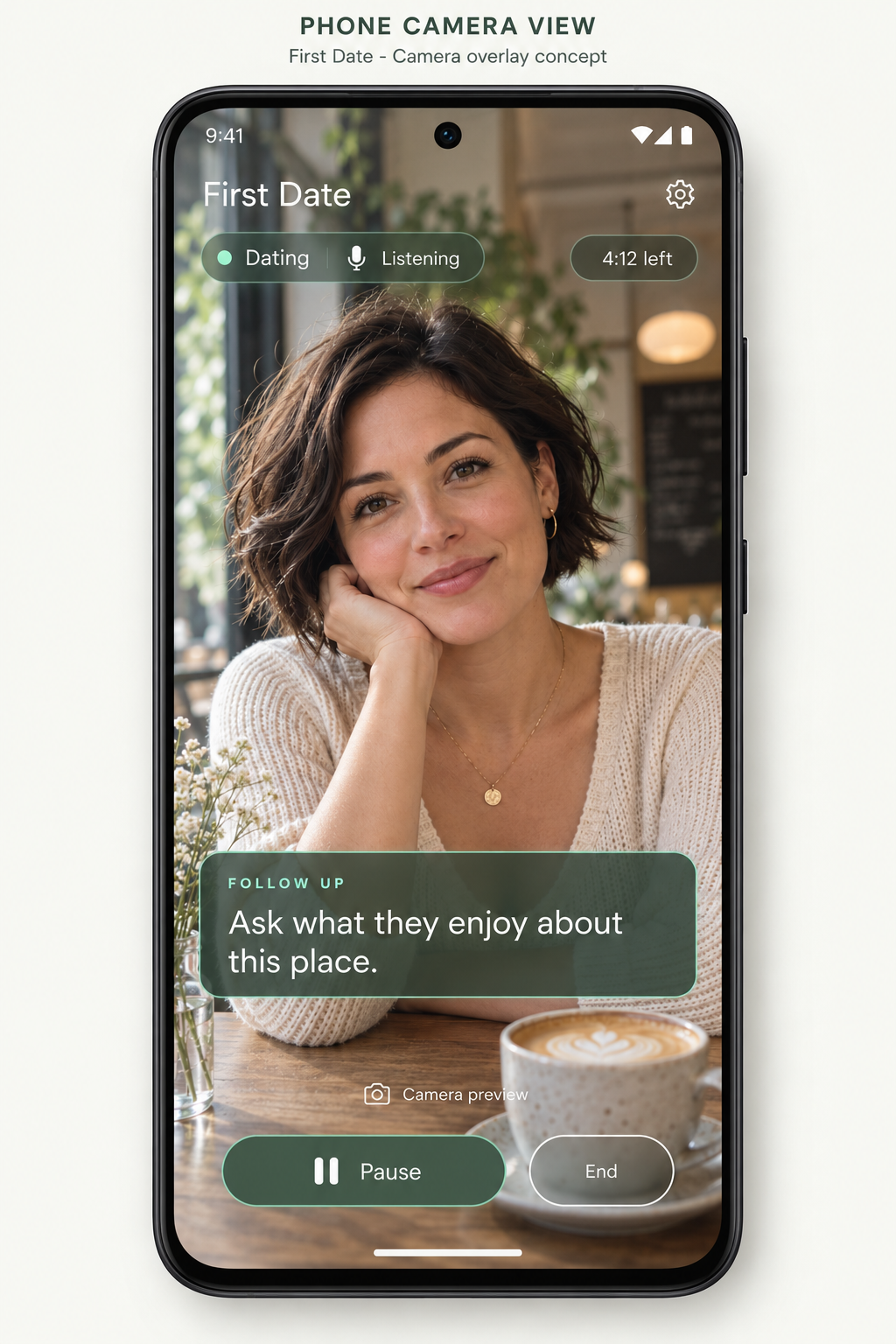
Visible capture status and clear Pause/End controls are part of the design.
XR and live conversation assistance are in development. The current private Android alpha supports adult solo practice.
01 / THE CONVERSATION ASSISTANT
The intended AR experience offers a brief next-action cue during your conversation. The current Android alpha explores this approach through adult solo practice.
The coaching approach starts with what was actually said. In today’s alpha, choose a practice goal and explicitly start a short solo speaking turn.
A short cue might suggest a relevant question, a thought to share, a clarification or space to listen. “Next best” is a suggestion for the moment; you choose.
Use your own words, ignore a cue or continue naturally when the assistant stays quiet. Pause or End whenever you need. Future AR cues are intended to be glanceable.
02 / YOUR VOICE, YOUR CHOICE
For men who want to feel more comfortable talking with women on a first date—and anyone who wants to communicate with more confidence.
Practice curiosity, listening and honest self-expression. First Date supports authentic communication and respectful boundaries, with no promise of romantic success.
Practice asking questions that leave room for someone else’s perspective.
Explore how to respond thoughtfully without rushing to fill every silence.
Find a comfortable way to share your interests, thoughts and feelings.
Practice saying what feels right for you, with care for yourself and others.
SUPPORTING PRACTICE MODE
The separate First Date simulator is a game-style practice experience with fictional conversations. The planned Practice link will take you to its game page, so you can rehearse the conversational choices the assistant supports.
The AR conversation assistant is the main product. Simulator practice is a supporting way to build confidence.
The game-page link will appear here when its URL is available.
Explore the assistant03 / PRIVACY & CONTROL
Here’s how the current private alpha handles solo practice. Speech recognition is on-device; temporary transcript text goes to the coaching backend.
You control when capture starts04 / AVAILABILITY
First Date is currently a Private Android alpha. Broader availability is being prepared.
Today’s alpha supports adult solo practice. AR/glasses support is experimental and not currently available; live multi-person conversation assistance is still in development. There isn’t a public download or announced release date yet.
Explore the conversation approachCURRENT PRIVATE ANDROID ALPHA
Choose a goal, explicitly start a short solo speaking turn, review the temporary transcript and reflect on a cue—or continue naturally when the assistant stays quiet.
This HTML illustration shows that current solo-practice approach. The XR mockups above show the product direction.
Find a thoughtful next move.
“I’ve been trying to make more time for things I enjoy. Lately, that’s been cooking something new on Sundays.”
Temporary transcriptAsk what they enjoy about it.
Use your own words.Sometimes, no cue is the right cue.
Controls link to privacy information.
A FEW GOOD QUESTIONS
No. First Date is being built as an AR conversation assistant that suggests a thoughtful next action. First dates are the initial focus; it is not a matchmaking service. Practice supports the main assistant experience.
A brief suggestion grounded in the conversation: ask a follow-up, listen, share, clarify, respect a boundary or give the moment space. It is an optional conversational move, not a script you must repeat or a guarantee of the right outcome.
AR is the main product direction, but physical glasses support is experimental and not currently available. The private Android alpha supports adult solo practice. Live multi-person assistance is still in development.
The intended experience includes being open about the assistance. Practice examples cover explaining the glasses, answering questions about processing accurately and respecting a request to turn assistance off. Future live capture requires informed participant permission; glasses should never be used to hide it.
The separate First Date simulator’s game-page link is coming soon. Practice is a supporting mode; the main focus is the AI conversation assistant.
No. In the app, you explicitly start capture and can Pause or End. This website’s phone preview is only an illustration and never accesses your microphone or camera.
First Date is in private Android alpha. Broader availability is being prepared, but there is no public download or announced release date yet.
Choose a practice goal and explicitly start a short speaking turn on your own. Speech recognition runs on-device. Temporary transcript text is processed by the coaching backend, which offers a brief cue or stays quiet when no cue is needed. Reflect, continue, Pause or End at your own pace.
Speech recognition runs on-device, but temporary transcript text is processed by the coaching backend. Conversation history and training are off. The optional camera preview stays on your device; its frames are not recorded, analysed or uploaded.